Coming Soon to Android

Every spoon
counts.

SilverWare brings Spoon Theory to life. Track your daily energy budget, understand your limits, and make the most of every moment — no matter how many spoons you wake up with.

26+

Activity presets

Free

To download

PDF

Doctor reports

SilverWare home screen
The idea behind the app

What is Spoon Theory?

Coined by Christine Miserandino, Spoon Theory is a powerful metaphor used by millions of people with chronic illness to describe their daily energy — and why some days there’s simply not enough of it.

🥄

Spoons = Energy

Each “spoon” represents a unit of energy. People with chronic illness start every day with a limited number — and every activity costs some.

⚖️

Every Choice Costs

Showering, cooking, getting dressed — things others take for granted cost precious spoons. Understanding this helps with planning and self-compassion.

📊

Data Brings Clarity

Tracking your energy over time reveals patterns — your best days, hardest activities, and long-term trends. Knowledge turns into better decisions.

App Features

Everything you need to
understand your energy

01 — Dashboard

Your daily spoon budget at a glance

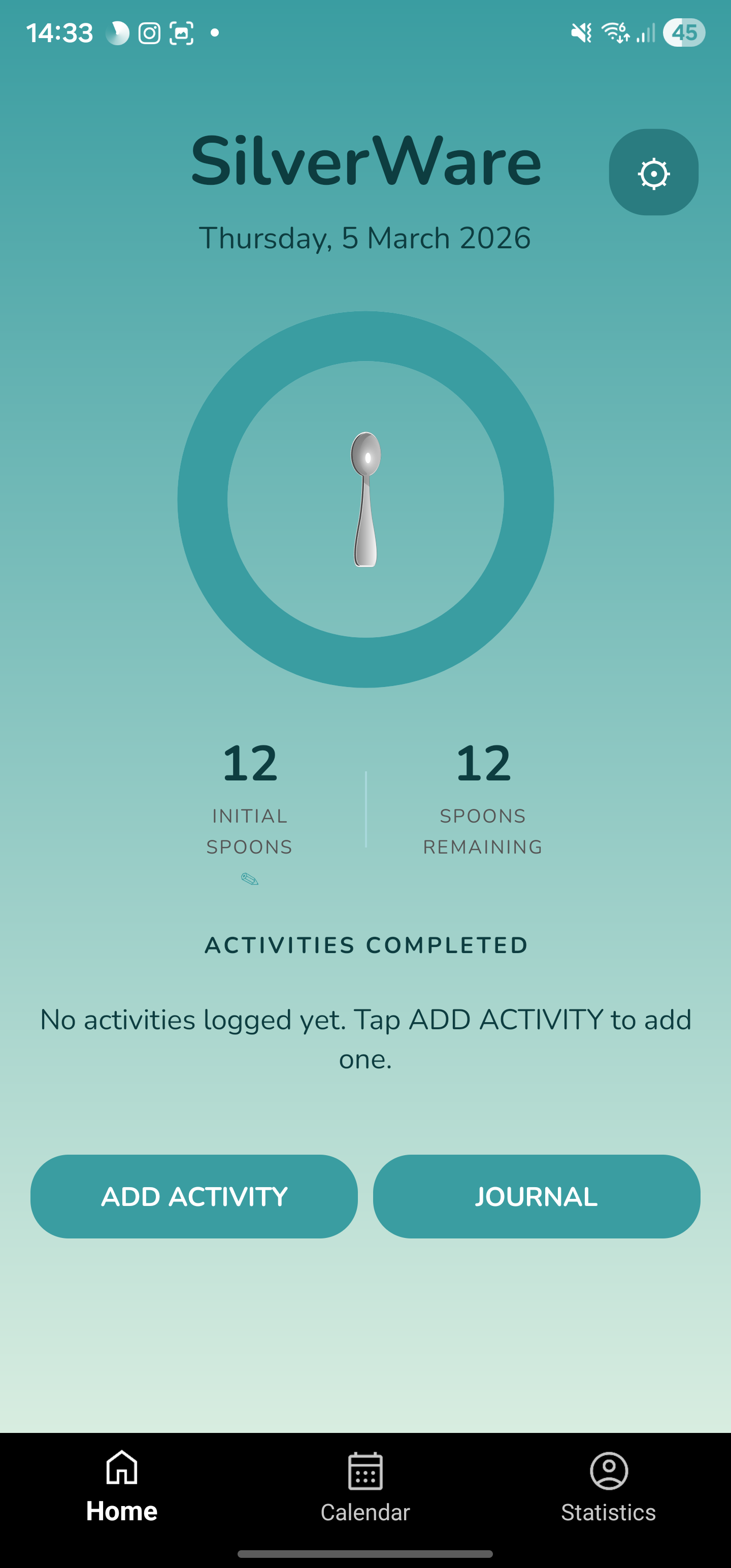
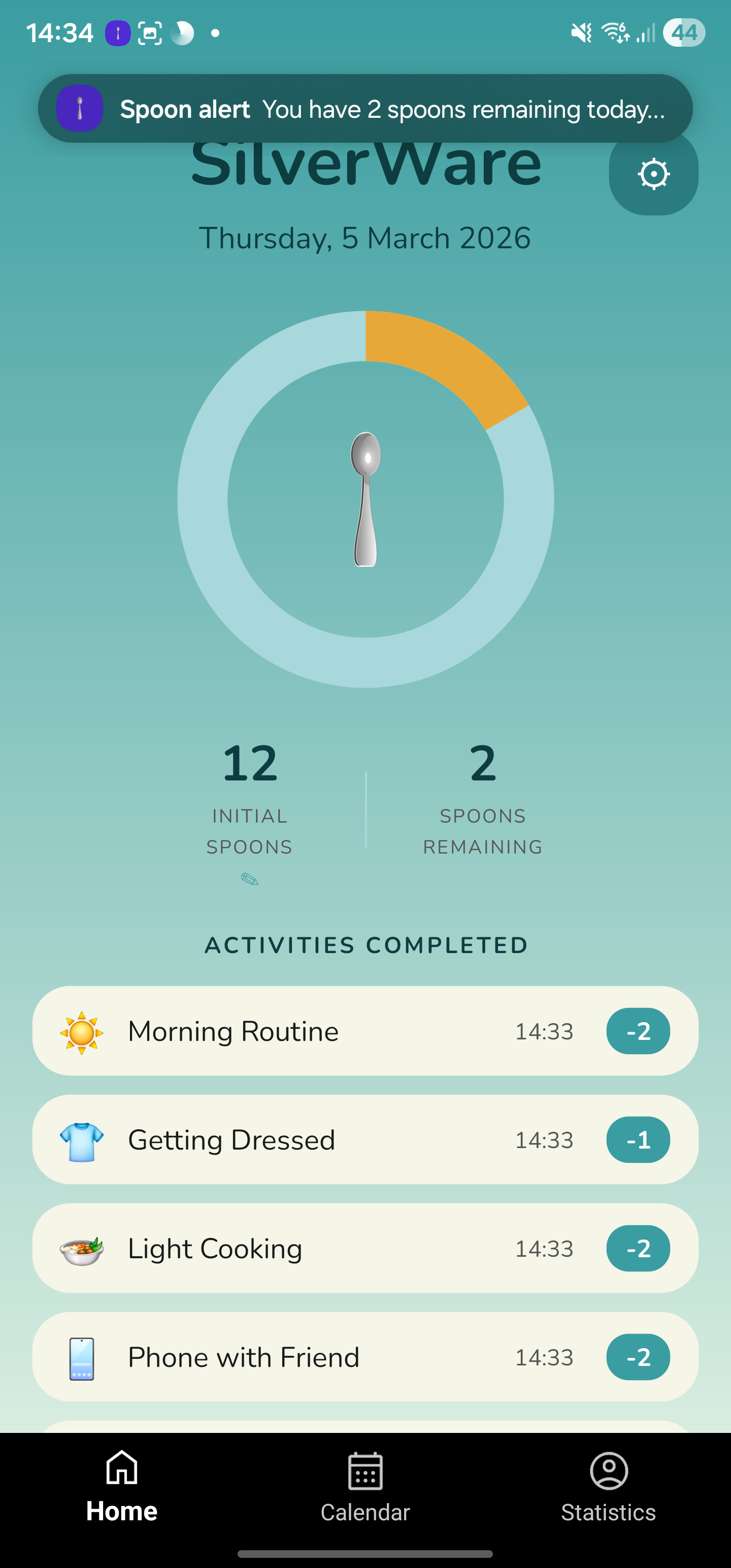
Open SilverWare and immediately see how many spoons you have left today. The animated donut chart shifts colour as your budget depletes — teal when you’re doing well, amber when running low, and red when you’ve pushed past your limit.

  • Animated energy ring with 4 visual states
  • Customisable daily spoon budget
  • Smart low-spoon notification alerts
  • Browse any past date from the calendar
SilverWare dashboard with amber spoon chart
SilverWare activity picker
02 — Activities

Log activities with one tap

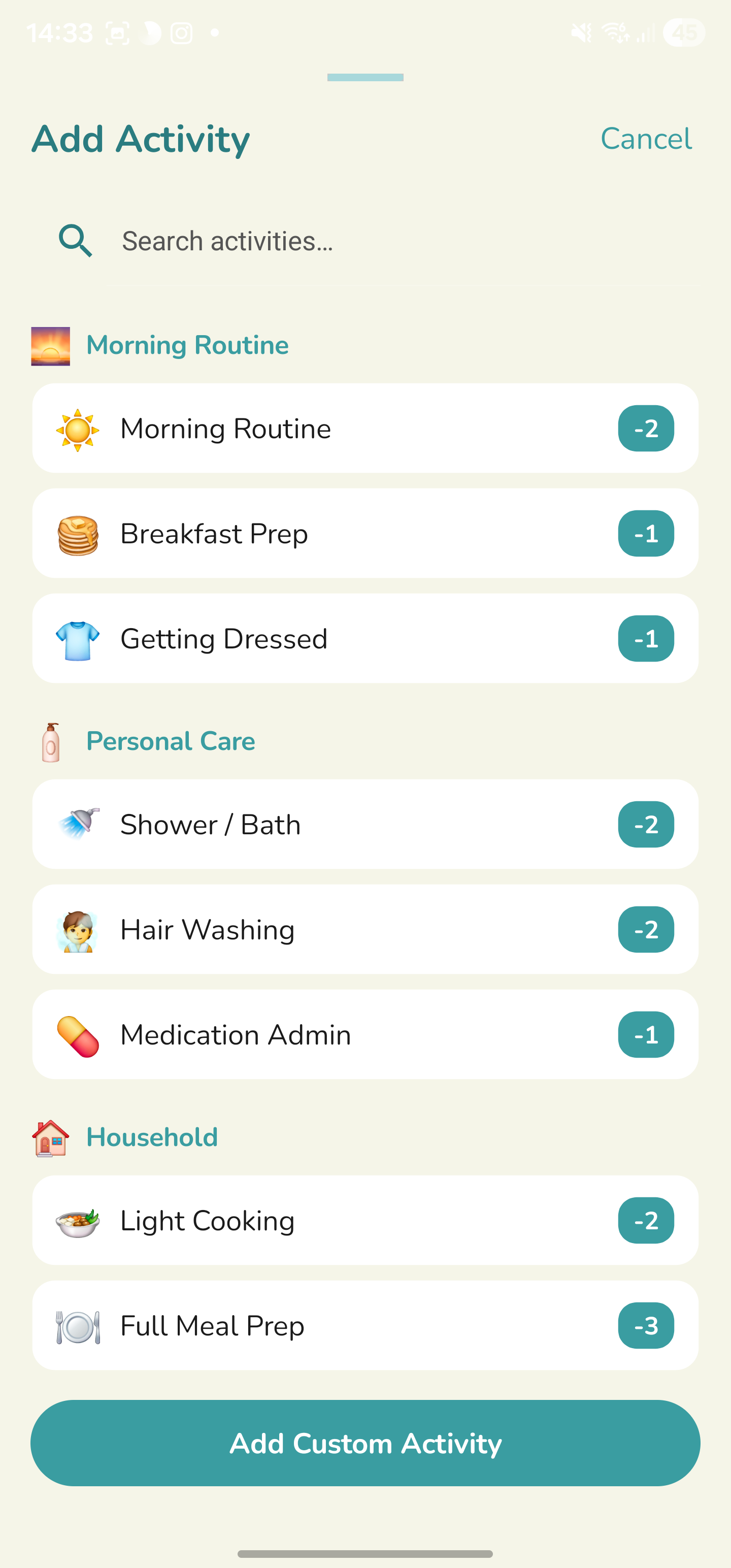
Choose from 26+ built-in presets organised by category — Morning Routine, Personal Care, Household, Social and more — each with a realistic spoon cost. Create your own with any emoji and a custom value.

  • 26+ categorised presets out of the box
  • Create custom activities with emoji icons
  • Restorative activities can add spoons back
  • Search presets instantly by name
03 — Statistics

Discover patterns in your energy

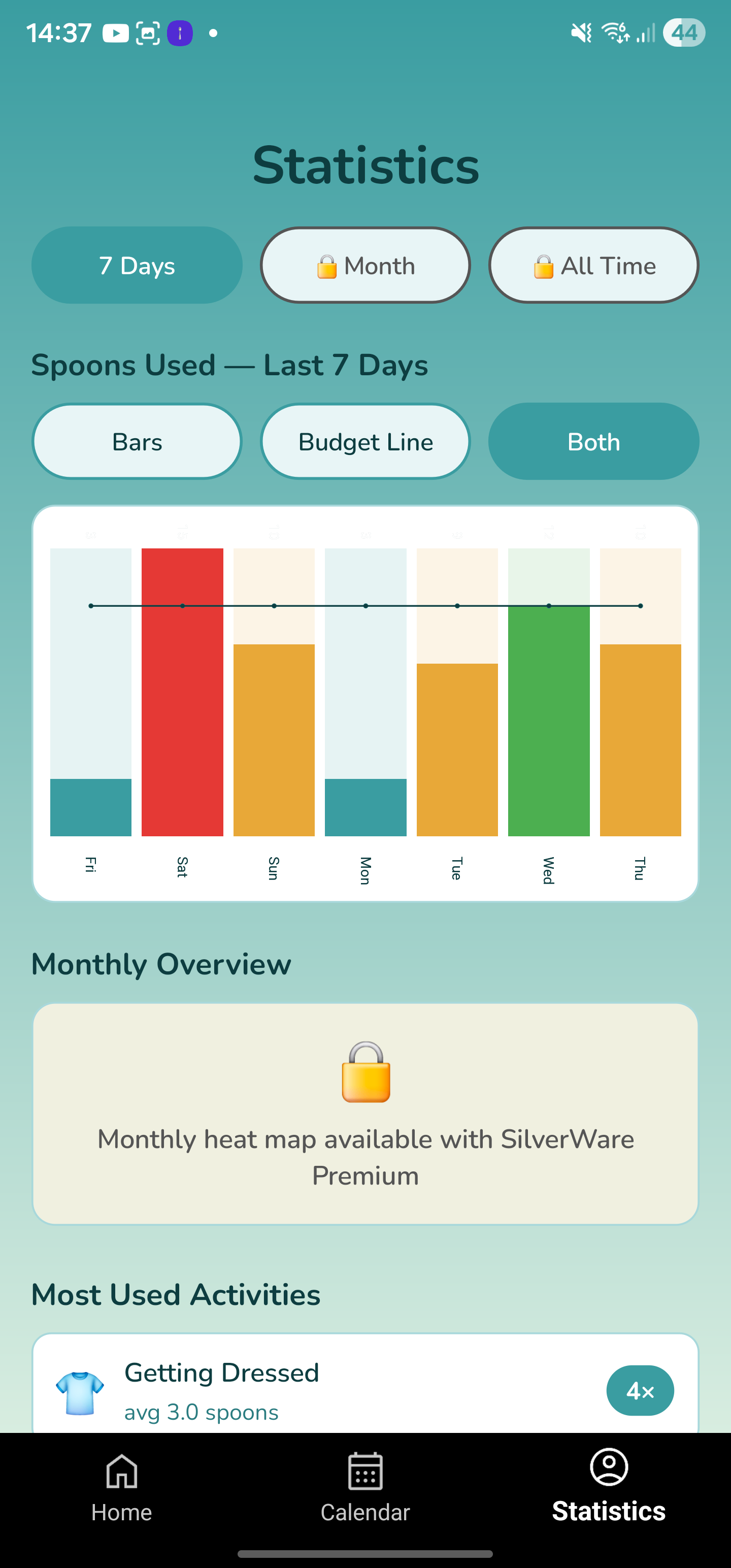
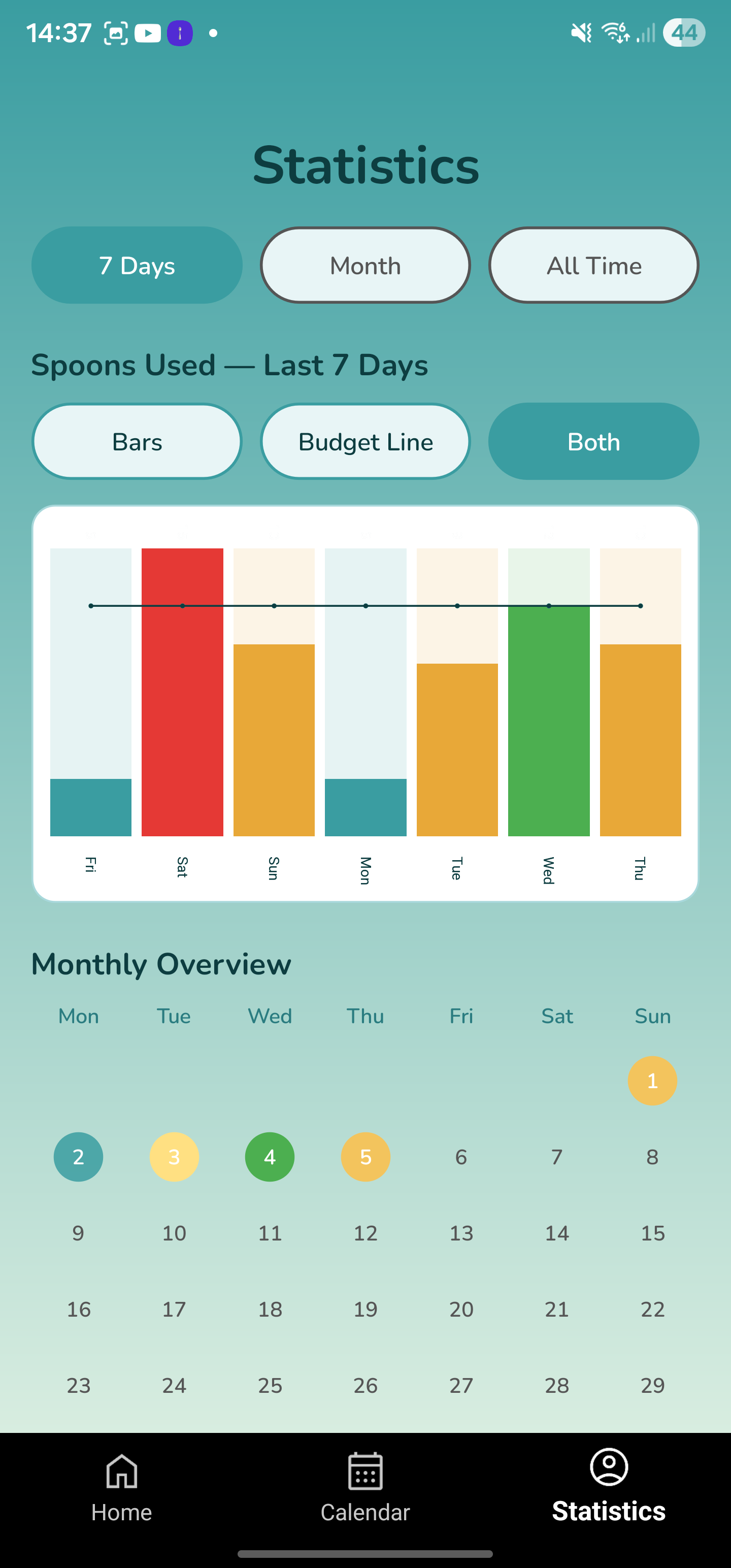
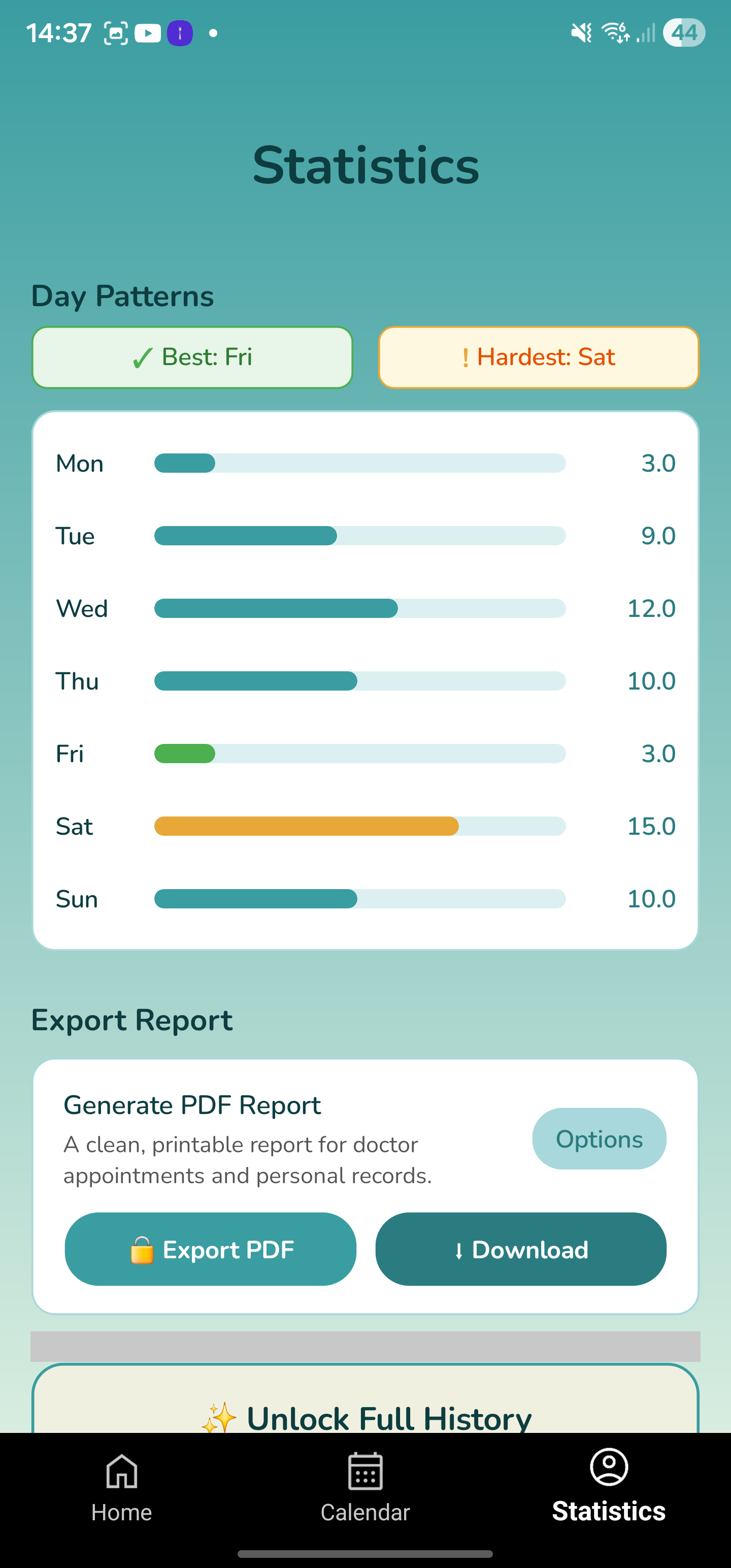
SilverWare turns your daily logs into meaningful charts. See a 7-day bar chart, identify your hardest day of the week, and spot the most energy-intensive activities — then share a clean PDF report with your doctor in one tap.

  • Colour-coded 7-day spoon usage bar chart
  • Budget line overlay to track over/under
  • Day-of-week patterns — best and hardest days
  • Most-used activities ranked by frequency
SilverWare statistics screen
📅

Calendar View

See every day’s energy status at a glance with colour-coded circles. Tap any day to review activities or adjust that day’s spoon budget.

Teal — within budget
Amber — running low
Red — over budget
Green — perfectly spent
📓

Daily Journal

Log how you’re feeling with mood buttons, a pain scale slider, and custom tags. Premium users can attach photos for richer health records.

#fatigue #brain-fog #good-day #flare #social #rest-day #pain
Simple to start

Up and running in minutes

1

Set your daily spoon budget

During the quick onboarding flow, choose how many spoons you typically start the day with. Easily adjusted for any specific date directly on the home screen.

2

Log activities as you go

Tap Add Activity, pick a preset or a custom activity, and confirm. The spoon chart updates immediately — you always know exactly where you stand.

3

Reflect and spot patterns

After a few days, the Statistics page reveals your best and worst days, most costly activities, and energy trends over time. Generate a PDF report to share with your doctor.

✨ SilverWare Premium

Unlock deeper insights

SilverWare Premium gives you the complete picture — long-term history, monthly overviews, and professional reports designed for your healthcare team.

📅

Monthly heat map calendar

Every day of the month colour-coded by energy level

📈

Full history & All Time statistics

Your complete energy record from day one

📄

PDF Export for doctor appointments

Clean A4 reports with custom date range & fields

📸

Photo journal entries

Attach photos to daily logs for richer records

Monthly calendar heat map
Statistics and PDF export